How to moderate an online community (tools, rules and AI)
Community moderation is the work of keeping an online community safe, on topic and worth coming back to. It covers writing the rules, reviewing what members post, acting when someone breaks a rule, and handling appeals. The setup that works in 2026 is layered: software takes the first pass on every post and comment, and people make the calls that need context.
That split is the whole argument of this guide. Moderation is a volume problem with a judgment core. Most posts are fine, a few are obviously not, and a small slice needs someone who knows the member and the thread. If your human moderators spend their day on the first two groups, they're worn out by the time the third one shows up.
Below is how I'd set it up today: the rules, the tools, the team, and the community moderation best practices worth keeping. We make Bettermode and Toggy, so I'll say plainly where something else fits better, and every price here was checked on the vendor's own site on October 13, 2026.
What community moderation covers
An online community moderator does two jobs. The visible one is enforcement: reviewing the user generated content that comes in, removing spam and inappropriate content, warning or suspending members who break rules, and closing conversations that stopped being useful a while ago. The quieter one is facilitation. Good community moderators welcome new members, move a question to the space where it'll get answered, tag the person who knows the answer, and cool a thread down before it turns into a fight.
Both jobs depend on a clear idea of what the community is for. A customer community for a software product, a fan community for a consumer brand and a peer group for practitioners need different community standards, and a post that's welcome in one is off topic in another. So effective online community moderation starts with purpose, and the rules and tools follow from it. That's why moderation sits so naturally inside community management: the people who know what the community is for make the best calls about what belongs in it.
Why online community moderation is important
Your community is public and it carries your logo. A thread full of spam or hate speech under your brand is a brand reputation problem the day a prospect finds it, and public community pages get indexed by search engines and read by AI assistants.
A healthy community keeps its best people, and an unmoderated one loses them first. Your most engaged members have the least patience for noise, and when they go quiet, a thriving community stalls and the questions stop getting good answers. Then there's risk mitigation. Some content carries legal weight (personal data, defamation, threats, illegal material), which makes legal compliance part of the moderation process whether you planned for it or not. If you run a public forum, our guide to legal considerations for community forums is worth twenty minutes.
Write your community guidelines before you moderate
You can't enforce rules you haven't written down, and you definitely can't ask software to enforce them. Every moderation system I'd trust starts with written rules short enough to read in two minutes and specific enough to apply the same way twice.
Specific is the part most teams skip. “Be respectful” is a value. “No personal attacks, including on people who aren't in the thread” is a rule that a moderator, or an AI moderator, can actually apply. To establish clear rules, I'd write down four things for each one:
- what acceptable behavior looks like, with one post that's fine and one that isn't
- what happens on a first offense and what happens after that
- where self-promotion is allowed, if anywhere, because it's the rule you'll enforce most often
- how a member appeals a decision, and who looks at it
Then put the code of conduct where people already look: the signup flow, the welcome email, and a pinned post or a link in the community menu. New members can't follow rules they've never seen, and enforcing community guidelines nobody has read feels arbitrary to the person on the receiving end.
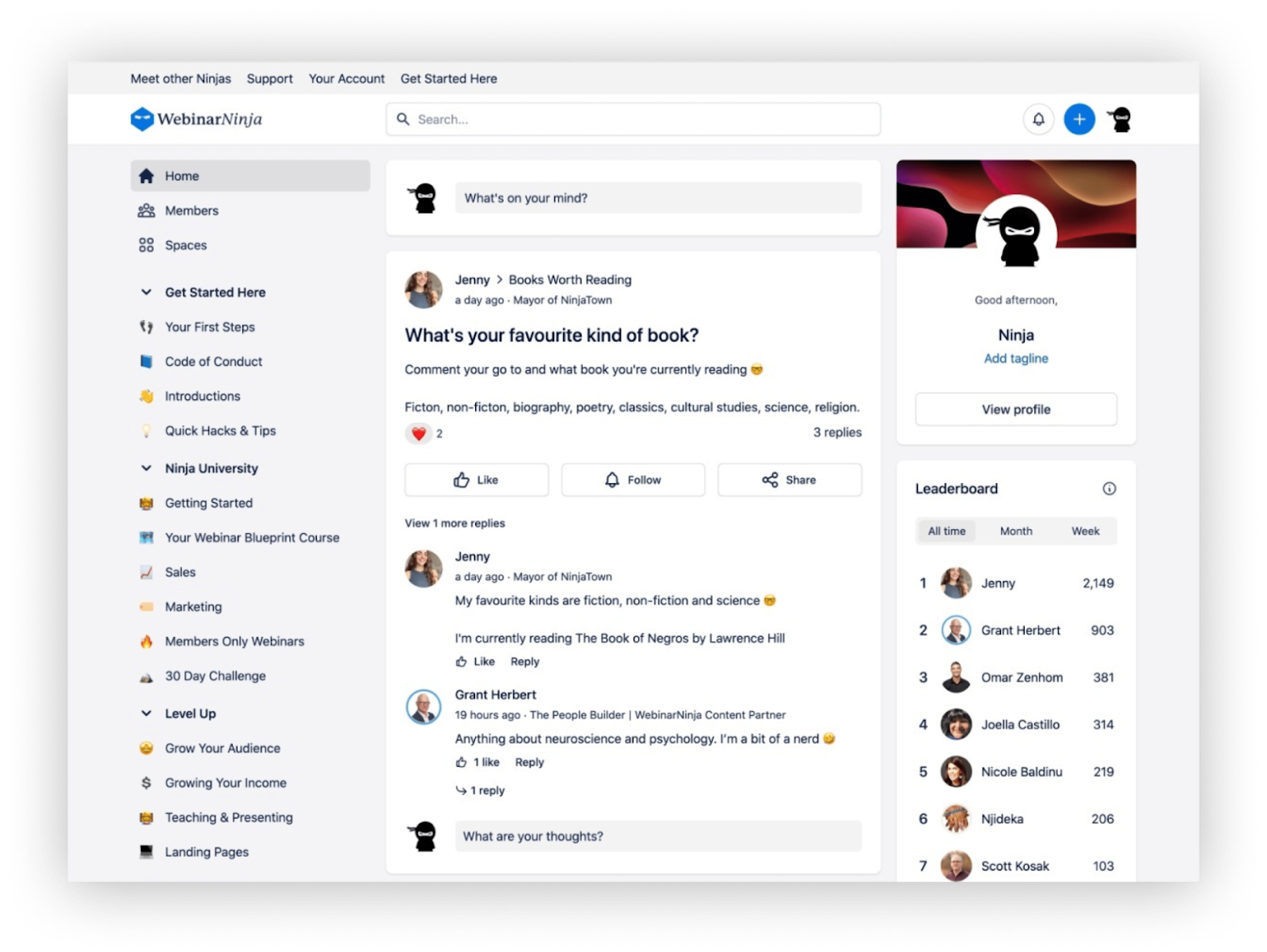
For real examples from brand communities, a template you can copy and the best practices for enforcing them, see our guide to community guidelines examples and enforcement.
Community moderation models and when each fits
There are four ways to decide when a post gets looked at. In practice, online community moderation mixes them, depending on how much you trust a member and how sensitive a space is. Whether you run a community forum, a Q&A space or an events feed, treat the mix as a deliberate moderation strategy.
Pre-moderation
Every post waits for approval before anyone else sees it. It's the safest model and the slowest, and it kills conversation fast if your moderation team can't keep the queue short. I'd use pre moderation for a member's first post or two, for spaces where a mistake is expensive (regulated industries, anything involving minors), and during a launch week when you don't know yet who's showing up.
Post moderation
Posts go live right away and moderators review them after. This is the default for most brand communities because members get an answer while they still care about the question. The risk is the gap: harmful content stays visible until someone gets to it, so post moderation needs active moderation behind it, someone or something reading new posts as they land.
Reactive moderation
Moderators act when members flag inappropriate content. Every active online community needs that reporting path, because community members see disruptive behavior your team doesn't, and their flags tell you which rules people actually care about. On its own, reactive moderation is too slow for spam and it hands the work to your members. Treat it as the backstop.
Some communities layer self moderation on top of it: members who've earned trust can retitle threads, move them to the right space or hide obvious spam. Discourse's trust levels work this way.
Automated moderation
Software reviews posts as they arrive. Automated tools can be simple filters (blocked words, link limits for new accounts, a waiting period before new members can post) or AI tools that read a post the way a moderator would. Automated moderation is what lets post moderation keep up as the community grows. The real question is how much you let it decide on its own.
Where AI moderation helps and where a person decides
AI is good at volume. It doesn't get tired at 2 a.m., it applies a rule the same way on the four thousandth post as on the fourth, and it reviews every post instead of the ones someone happened to see. Spam, obvious abuse, inappropriate language and the promo link from a brand new account are exactly the calls you want made in seconds, and AI tools flag harmful content faster than any person can.
It's weaker when the answer depends on things outside the post. Sarcasm between two members who've known each other for years. A frustrated customer whose complaint is harsh and also correct. A heated debate that's still producing good arguments. A post that's within the rules but lands badly the week after an outage. Those need someone who knows the people involved.
There's also a gap that catches teams who wire up a generic classifier and call it done. Content moderation APIs score universal harm categories. OpenAI's moderation endpoint, for example, returns scores for 13 categories such as harassment, hate, self-harm and violence. None of them is “self-promotion in the Q&A space” or “the same question posted in three spaces”. Your own community rules are the ones that come up every day, and a classifier doesn't know them unless you build that layer yourself.
So here's the split I'd use for effective moderation at any size:
- AI takes the first pass on everything. It approves what's clearly fine, acts on what clearly breaks a rule, and sends anything uncertain to a person with its reasoning attached.
- People own the edge cases: context, a member's history, anything that could reasonably go either way.
- People own moderation policies. When a rule changes, a human decides and the AI follows.
- People own anything legal. Threats, personal data requests, possible illegal content and law enforcement requests go to a named person, and to legal counsel where needed.
- People own appeals. A member who disputes a call gets a human, every time.
My bias: I'd rather run a slightly strict AI first pass with a fast human review behind it than a lenient one nobody checks. Strict with a quick override corrects itself. Lenient and unchecked just lets negative behavior become the norm.
How an AI moderator makes a call
Here's what a good AI decision looks like, with Toggy Moderate as the worked example. We built it, so weigh my enthusiasm accordingly.
Toggy Moderate checks every post and comment against three inputs: baseline safety, your own rules, and the conversation around it. That third input is what separates an AI moderator from a word filter. Say a brand new account replies to a support question with “Happy to help, DM me for our agency rates.”
- Baseline safety: nothing hateful, violent or explicit, so it passes.
- Your rules: your guidelines say no unsolicited promotion outside the partners space, so it breaks one.
- The conversation: it's the account's first post, it doesn't answer the question it replies to, and it pushes people to DMs.
A filter scanning for banned words would let that through. An AI moderator reading the rule and the thread wouldn't. Every Toggy Moderate decision comes with reasoning your team can read, in this case something like “promotional reply from a first-time member in a support thread, breaks the no-solicitation rule”. If a moderator disagrees, one click overturns the call. It also learns the norms your community already enforces, which matters because written rules never cover everything.
Now the limits, because they matter. Toggy Moderate runs on Bettermode communities only for now. It doesn't moderate Discord, Slack, Reddit or social channels, so if your community lives on Discord and the moderation load is what's wearing you down, our Discord alternatives guide covers where teams move. And it's a first pass. Your team still owns the edge cases, every policy change and anything with legal weight. The readable reasoning is what makes that split workable, because a moderator can check a call in seconds instead of rereading the whole thread.
Pricing is per action. One Moderate decision costs one credit, and watching and analysis are included. Core is $750 a month for communities up to about 10,000 members and includes 2,000 credits. Plus is $2,500 a month for communities past 10,000 members with 10,000 credits. Scale is custom, and there are no seat fees on any of them.
The fastest way to judge it is on your own posts. Bring one real community and Toggy connects in simulation mode, which reads and never posts. Watch Toggy Moderate review your actual posts in simulation mode.
Community moderation tools compared
Online community moderation tools fall into four groups, and they solve different problems. Here's the short version, with every price read off the vendor's own site on October 13, 2026.
Built-in platform moderation
Start here, because whatever your community runs on already has moderation built in, and the basics cover more than most teams use.
Bettermode includes moderation and an AI Spam Detector on every plan, Starter included ($149 a month billed yearly or $199 monthly). You can turn on a keyword blocklist (a default list plus your own words), make new members wait a set number of hours before they can post or reply, let members report inappropriate content into a review list, and suspend accounts that keep breaking rules. Starter comes with 5 admin and moderator seats, Growth with 10, and Premium with 20 or more.
Discourse has some of the most mature built-in tooling in forum software. Members flag posts as off topic, inappropriate, spam or illegal, those flags land in a Review Queue, and trust levels sandbox new users while giving long-time members more rights. Every hosted plan includes AI spam detection, the Free plan too, and Discourse AI can detect toxic content and flag NSFW posts. Pro is $100 a month and Business is $500.
Circle includes basic moderation on all plans. Its AI moderation sits on Scale ($419 a month billed annually) and Circle Plus, and isn't on Professional or Business.
AI moderation agents
This is the newest category and the smallest. What makes something an agent rather than a filter is what it reads: the rules you wrote, the thread around the post, and the norms your moderators already enforce, with a decision your team can read and reverse. Toggy Moderate, covered above, is ours and works on Bettermode. If you're on Discourse, Discourse AI covers part of this ground inside that platform with toxicity detection, NSFW flags and spam filtering.
API classifiers for developer teams
If your community runs on a custom build or inside your own app, you can call a content moderation API and build the review flow yourself. Budget the engineering time honestly. You get scores back, and you still have to build the queue, the thresholds, the audit trail and the appeal path.
OpenAI's moderation endpoint (omni-moderation-latest) is the easy place to start, since it costs nothing and reads text and images, though it doesn't classify audio. Hive's self-serve plan caps you at 100 requests a day per model until you talk to sales. Sightengine's paid plans start at $29 a month for 10,000 operations, with $99 buying 40,000. And skip Perspective API, Jigsaw's long-running toxicity scorer, for anything new: the service ends December 31, 2026, with no migration support.
Community moderation services
Outsourced community moderation services add trained people to your moderation efforts, usually with their own AI doing a first pass. You need one when the coverage math stops working in-house: round-the-clock moderation across time zones, many languages, a volume spike you can't hire for in time, or a crisis.
ModSquad has done trust and safety work since 2007, covers 90+ countries and 55+ languages around the clock, and sums up its model as “AI pre-classifies, humans make the call.” Besedo pairs its own AI with human moderators across 100+ languages and lets you outsource all of it or keep part in-house. Neither publishes pricing, so expect a scoping call. You still own the guidelines and the final policy calls either way.
Building a team of community moderators
Even with automation on the first pass, someone on the community management side has to own moderation. Here's how I'd split it.
Who owns what
The community manager owns the rules, the escalation path and the appeals. In a lot of companies that's a dedicated community manager who also moderates. Where there's no budget for that hire, it lands on someone in support, customer success or marketing, and it has to be an actual part of their job with time on the calendar for it. Our guide for the online community manager role covers the rest of that job.
Staff community moderators work the review queue: the posts the AI sends them, the member reports, the threads that need a human voice. Community management and moderation overlap a lot here, since the person who removes a post is often the one who explains why.
Volunteer moderators
Volunteer moderators extend your coverage, and the best ones come from your most engaged members. Look for active members who already answer questions, stay calm when a thread heats up, and have a post history you'd be happy to quote. Start them with fewer powers than staff (move, tag, hide pending review), give them a private space to ask each other questions, and train them on the guidelines plus a few conflict resolution techniques: take it to DMs, restate the other person's point before disagreeing, call a cooling-off period.
They're giving you their time, so recognize it. A badge, early access to features, a direct line to the product team. Building relationships with this group pays back every time the community grows.
Escalation
Write the escalation path before you need it. Who gets a self-harm post at 11 p.m. on a Saturday? Who answers a request to delete someone's personal data? Who calls legal? A one-page doc with names, not job titles, is the difference between a handled incident and a very bad week.
Community moderation best practices
These are the best practices I'd keep no matter which tools you pick, and none of them needs new software.
Start before you think you need it
Early members set the community norms that new members copy, and strong moderation practices are easiest to set while the community is small. If the first hundred posts include unchallenged spam or a pile-on, that's the norm you'll spend a year undoing. Moderation belongs in the plan from day one when you're building a community. A well moderated community at a hundred members is much easier to keep that way at ten thousand.
Enforce the rules the same way for everyone
Enforcing rules unevenly is the fastest way to lose members' trust, and that includes your own staff. If self-promotion is banned for members, a product team dropping launch posts into a discussion space reads as a double standard. Consistent enforcement means staff get the same rules, or a clearly labeled space for announcements.
Pick the lightest action that fixes the problem
Effective moderation is mostly small corrections. Most rule breaks don't need a removal. Move an off-topic post and say where it belongs. Edit out a link and keep the useful question. Lock a thread that's gone in circles rather than deleting the answers people already wrote. Save suspensions for repeat offenders and for toxic behavior aimed at other members.
Let member feedback change the rules
When the same break keeps happening, the rule might be the problem. If community members keep sharing their own links, a dedicated self-promotion space usually contains it better than a ban. If new members keep asking the same basic questions, better onboarding beats deleting repeat posts. When a rule changes, announce it to the broader community, update the guidelines, and brief your moderators and your AI moderator the same day.
What to measure
You can't tune a moderation strategy you don't measure. These four numbers tell you whether your online community moderation works and how user behavior is changing. They're definitions, not benchmarks, because what successful moderation looks like depends on your community.
- Time to decision is how long a flagged or held post waits before someone, or something, acts on it. Track AI decisions and human review separately.
- Overturn rate is the share of decisions that get reversed, by a moderator reviewing the AI or on appeal. When it climbs, a rule is usually unclear or the AI is missing context.
- Repeat offenders counts the members who break a rule more than once in a period. If that number grows, your consequences aren't working.
- Reports per thousand posts is member reports divided by posts, times 1,000. It shows how much moderation your members are doing for you, and a sudden jump flags a problem before anyone escalates it.
FAQ
What does a community moderator do?
An online community moderator keeps a community safe and useful. They review posts and comments, remove spam and inappropriate content, warn or suspend members who break the rules, and work through member reports. Good moderators also keep conversation moving: they welcome new members, route questions to the right space or expert, and calm heated threads before they turn into fights. Where AI tools handle the first pass, moderators focus on the edge cases and appeals the AI sends them.
What are good moderation rules for an online community?
Good moderation rules are specific enough to apply the same way twice. Cover personal attacks and harassment, hate speech, spam and self-promotion, off-topic posts, sharing personal information, and anything illegal. For each rule, give one example of what's allowed and one of what isn't, say what happens on a first and a repeat offense, and explain how members appeal. Keep the whole rulebook short enough to read in two minutes.
How do I set up community guidelines and moderation for a brand community?
Write short, specific community guidelines first, with an example and a consequence for each rule. Then switch on your platform's built-in moderation: spam filtering, a keyword blocklist, member reporting, and a posting wait or approval step for new members. Add an AI first pass once volume outgrows what your team can read, name an owner for edge cases and appeals, and write a one-page escalation path for legal and safety issues. Review overturned decisions monthly and update the rules.
Can AI moderate an online community on its own?
Not entirely. AI handles volume well: it reviews every post, applies rules consistently, and acts in seconds on spam and obvious abuse. It struggles with context, like sarcasm between longtime members or a harsh complaint that's also correct. People should still own edge cases, policy changes, appeals and anything with legal weight. The setup that works is AI on the first pass with reasoning your team can read, and a person who can overturn any call.
Which community platforms have the best moderation and AI moderation tools?
As of October 2026, Bettermode includes moderation and an AI Spam Detector on every plan, and Toggy Moderate adds an AI moderator that checks every post against your own rules and the surrounding thread, with reasoning on each call. Discourse includes AI spam detection on all hosted plans, plus flags, a Review Queue and trust levels. Circle includes basic moderation on every plan and puts AI moderation on its Scale plan and above.
What are community moderation services, and when do you need one?
Community moderation services are outsourced teams, such as ModSquad or Besedo, that review your community's content for you, usually pairing their own AI with trained human moderators. You need one when in-house coverage stops adding up: round-the-clock moderation across time zones, many languages, a sudden volume spike or a crisis. Most quote per engagement instead of publishing prices, and you still own the guidelines and the final policy calls.
How many moderators does a community need?
Size the team from the workload, which member count only hints at. The drivers are how many posts and comments arrive each day, the hours you need covered, how many languages members post in, how sensitive your topic is, and how much of the first pass is automated. Measure time to decision and queue size for a month. If flagged posts wait longer than members will tolerate, add moderators or automate more of the clear-cut calls.
TL;DR
- Online community moderation is a volume problem with a judgment core. Let software take the first pass on every post and keep people on the calls that need context.
- Write short, specific rules first, with an example and a consequence for every one.
- Mix models: pre-moderate new members and sensitive spaces, post-moderate the rest, and give members a way to report.
- People own edge cases, policy changes, appeals and anything legal. AI shouldn't decide those alone.
- Generic moderation APIs score harm categories and don't know your rules. An AI moderator like Toggy Moderate checks posts against your own rules and the thread, with reasoning you can overturn in one click.
- Measure time to decision, overturn rate, repeat offenders and reports per thousand posts.
- Perspective API shuts down on December 31, 2026, so don't start a new build on it.